There are two main reasons Googlebot crawls your website: refresh and discovery. What are these crawl types and what do they mean?
You can find Refresh vs. Discovery in Google Search Console’s Crawl Stats. Go to Settings in the sidebar. Under the Crawling section, click “Open Report” next to Crawl stats (about halfway down the page). On the Crawl Stats report, scroll to the bottom and you’ll see a table for “By purpose”.
There are two purposes listed:
- Refresh crawl: Google re-crawls a resource they have already found.
- Discovery crawl: Google crawls a new page they didn’t already know about.
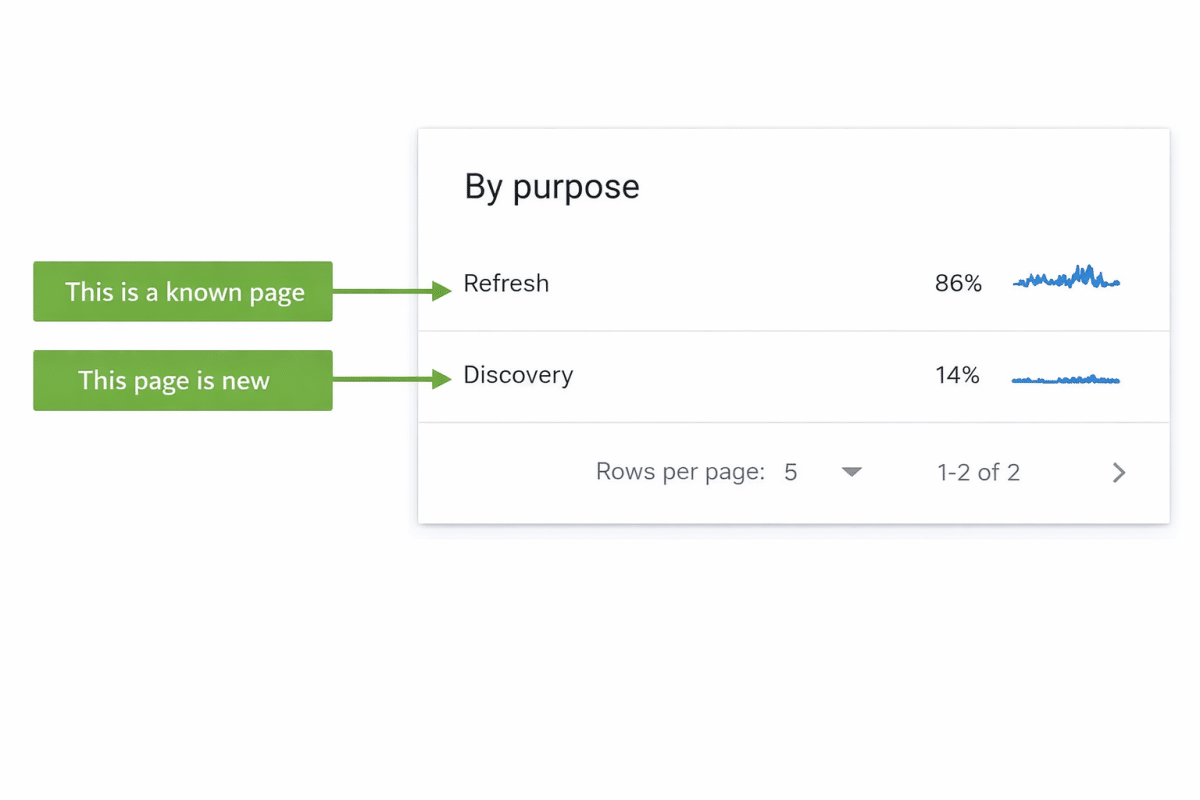
Generally, an established site should have more Refresh pages than Discovery pages. Most websites I’ve seen are around 80-90% Refresh and 10-20% Discovery. However, if you have a new site or have recently added pages to an existing site, you may see a higher amount of Discovery crawls. For example, News websites or blogs that add new posts multiple times a day may have a 30-40% Discovery rate.
If you have a higher amount of Discovery crawls than expected given the nature of your website’s content, you might have a problem and this should be reviewed more carefully. You can click on Discovery in the table to see a list of sample URLs that are being discovered.
Some things to check for:
- Sometimes you will see URLs listed that were discovered long ago. This is a reporting mistake and these URLs should have been classified as Refresh. In that case, a higher Discovery rate is not actually a problem.
- You might see valid URLs on your website but with tracking parameters added to the URL. This probably isn’t an issue but check canonical tags on these URLs to confirm that duplication is being properly controlled. You may also want to investigate why Google found these but so long as canonicals are in place and being respected, this is likely not an issue.
- The bigger problem will be URLs that are listed in the Discovery table that you didn’t know existed on your website. This could include spam content that was added, additional page types creating unnecessary pages, old URLs that were somehow republished and so much more. These types of URLs almost always indicate a problem that you need to fix.