Can Bing crawl your website? Is Bing indexing your website’s pages? Can Bing load all of your website’s content?
Just because a page is working on Google does not mean it will work for Bing. I’ve seen a few sites where Google crawls and indexes without issue but Bing is unable to crawl or index the site. It might be something is blocking Bing’s bots or complicated JavaScript is preventing Bing from successfully indexing the page.
One of the easiest ways to understand if Bing can crawl and index your website’s pages is by using Bing Webmaster Tools URL Inspection. While a lot of this is similar to Google Search Console’s URL Inspection, Bing’s URL Inspection offers some different features.
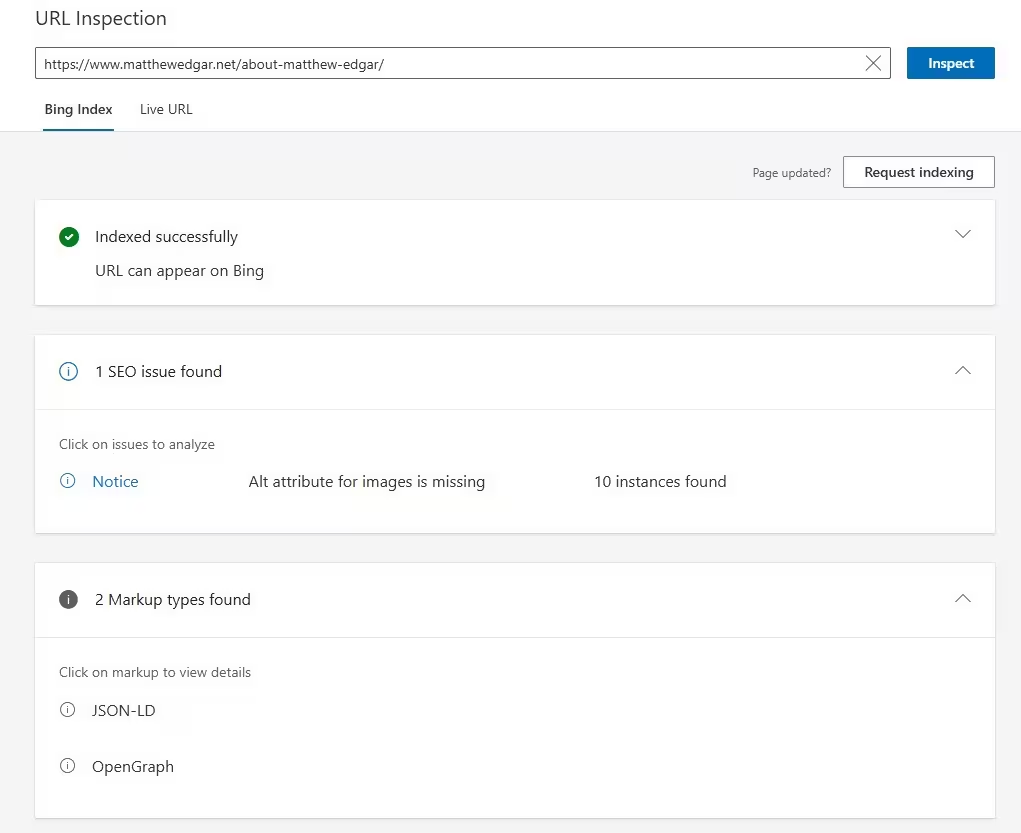
You have two different ways of inspecting the URL: viewing Bing’s Index or testing the live URL.
Under Index, you can see if the page can appear on Bing or not. If you expand the first section, you can also see the date the page was first discovered by Bing and the last date the page was crawled. I find the discovery date is especially helpful to track how quickly new pages are discovered.
Under Live URL, you can test if Bing is currently able to access the page. This is helpful to use after a page changes to make sure nothing broke. We use this as part of site testing after a major deployment or a redesign launch.
One helpful feature is that it will also tell you any issues found on the page. For example, in the attached screenshot the inspected page has 10 images with missing alt text. Some of these issues could be critical and ones to address immediately.
If you expand that first section that says the URL can appear on Bing, you’ll also see a button to “View indexed page”. This will let you view the HTML code and the HTTP Response. For a quick test, copy the HTML code and paste it into Diffchecker comparing against the HTML from your website. This will help you identify if anything is missing (like large sections of content!).