If you are looking for a different perspective on issues that might be affecting your SEO performance, it is worth checking out the site scan tool in Bing Webmaster Tools.
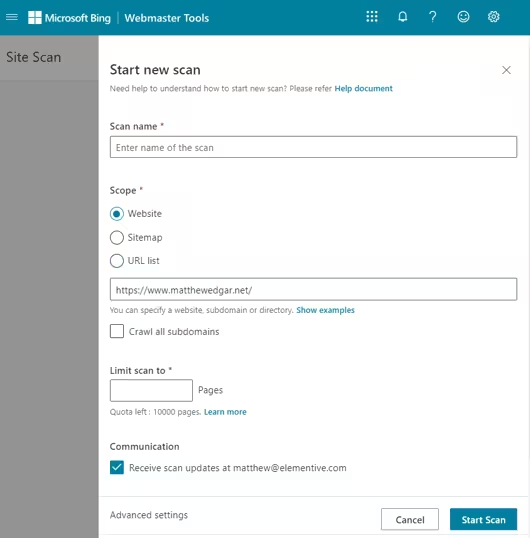
Using Bing Webmaster Tool’s Site Scan, you can launch a scan of up to 10K pages on your website. In the sidebar click on “Site Scan”, then click “Start new scan”. You’ll then see this screen. Fill in the details and add in the appropriate limits, then click “Start scan”.
After the scan finishes, it will return a list of issues Bingbot found on your website.
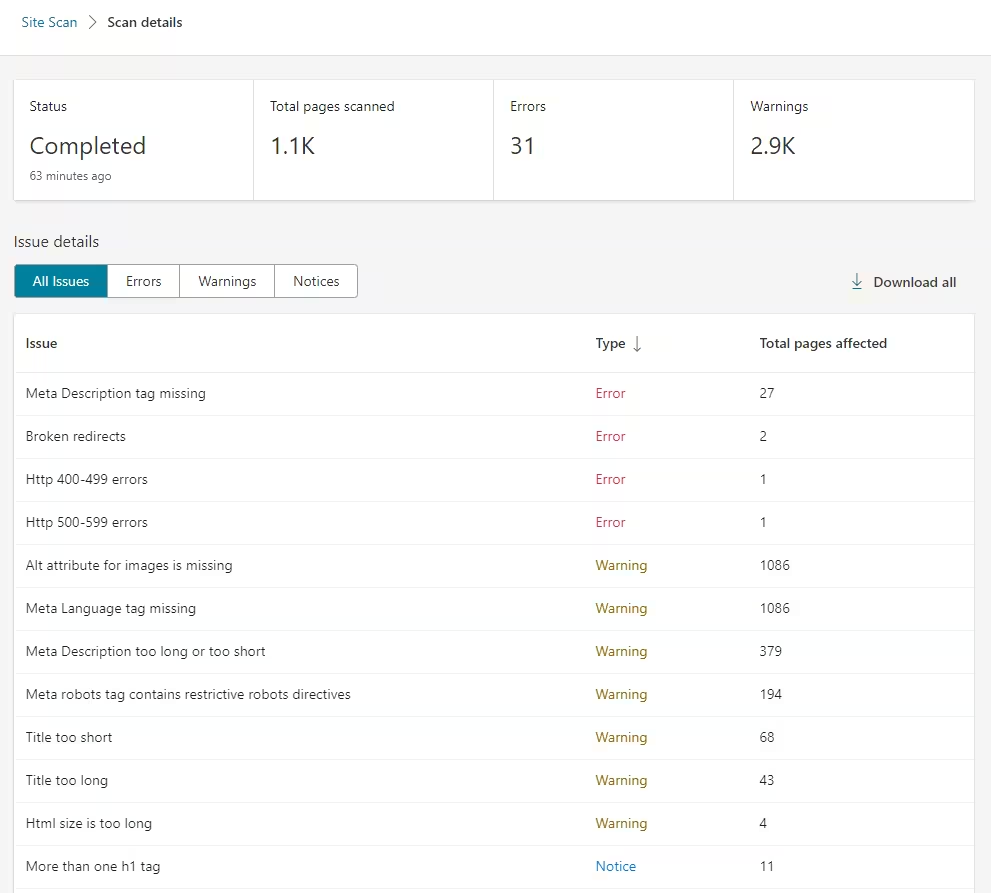
While you can get some of this information in other tools, this can give you a different look at issues on your website. It also helps you get a more comprehensive look at how an actual search engine sees your website.
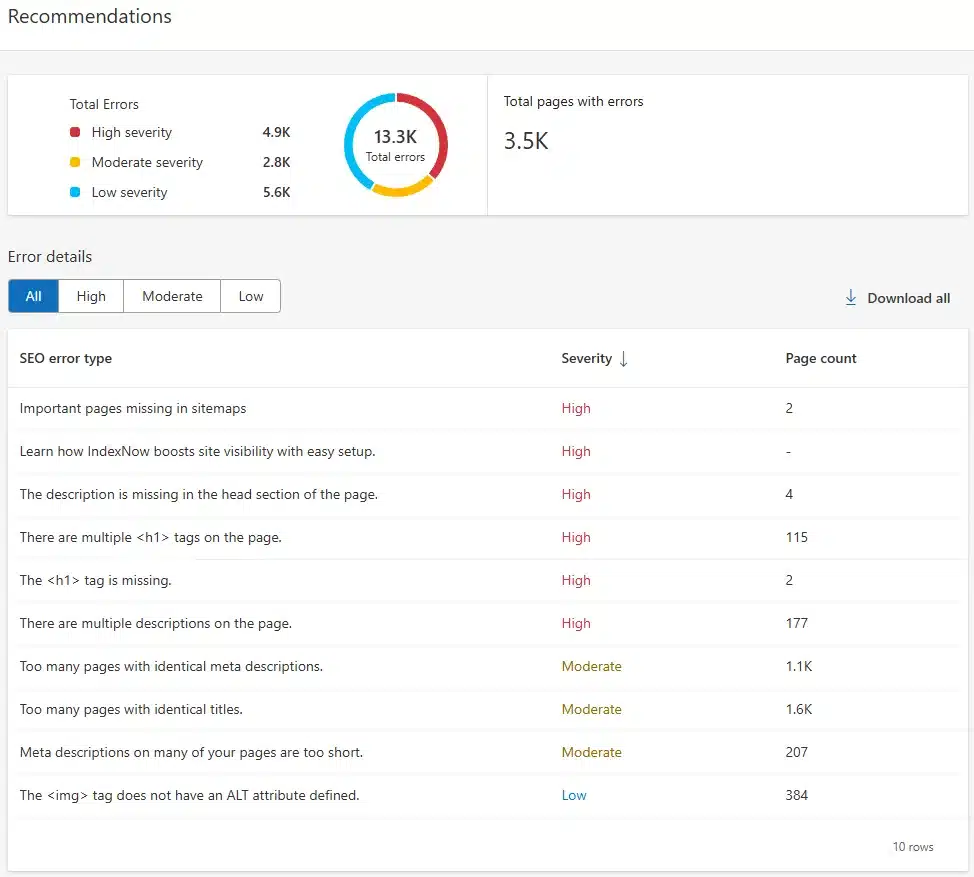
You can also see a similar list of issues under the Recommendations section. These come from Bing’s regular crawl of your website. For example, this website has 4.9K High severity errors reported. Not all errors may represent a problem, but they are almost always worth reviewing to check if anything should be addressed.