Did your SEO traffic recently start to decline? There are a whole bunch of reasons why this can happen and a lot of things to investigate if it does. However, one of the more important things to check is if Google can reach the website at all.
In Google Search Console (GSC), you can see if Google’s bots have problems accessing the website in the Crawl Stats report. In GSC, go to Settings, then click “Open Report” under “Crawling”.
Below the graph, you will see a list of hosts. In this table, there is a status column. It should say “No problems” with a green check mark. If it doesn’t, click the host that has a problem for details.
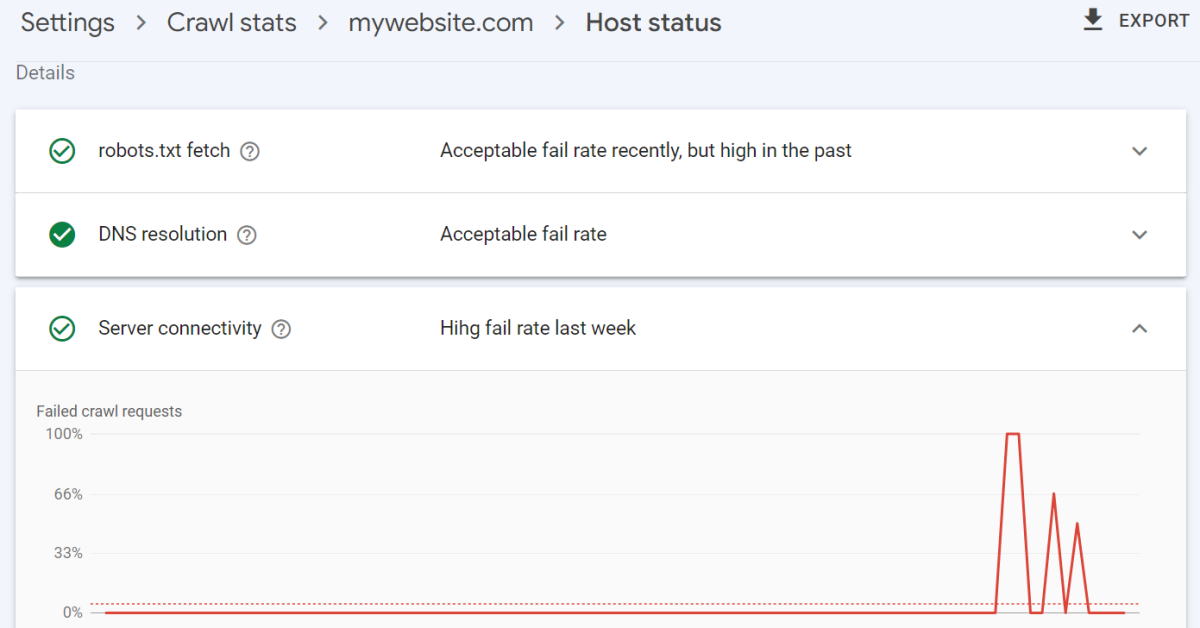
Once you click on the host, you can see the details under the “Host status” section. There can be problems with Google fetching the robots.txt file, resolving the DNS to reach your website, or connecting to the server. You can see when the problems occurred by reviewing the associated graph.
Any one of these problems can prevent Google from successfully crawling your website. If these problems exist, they can cause your website’s rankings to fall, especially if the problems persist.